Plans & AI credits
Monitoring is generous on every plan. AI actions draw from a monthly credit budget, so heavier plans get more room to let the assistant work.
What an "AI credit" is
One credit = one successful AI action (a chat answer, an explain, a fix, an on-demand agentic task). It's one shared pool - there are no per-feature limits, so you spend credits on whichever AI feature you use. Failed or cancelled actions aren't charged. Reading your own data with the assistant is lightweight; the credit budget mainly bounds how much AI work you do per month.
Where to see your usage
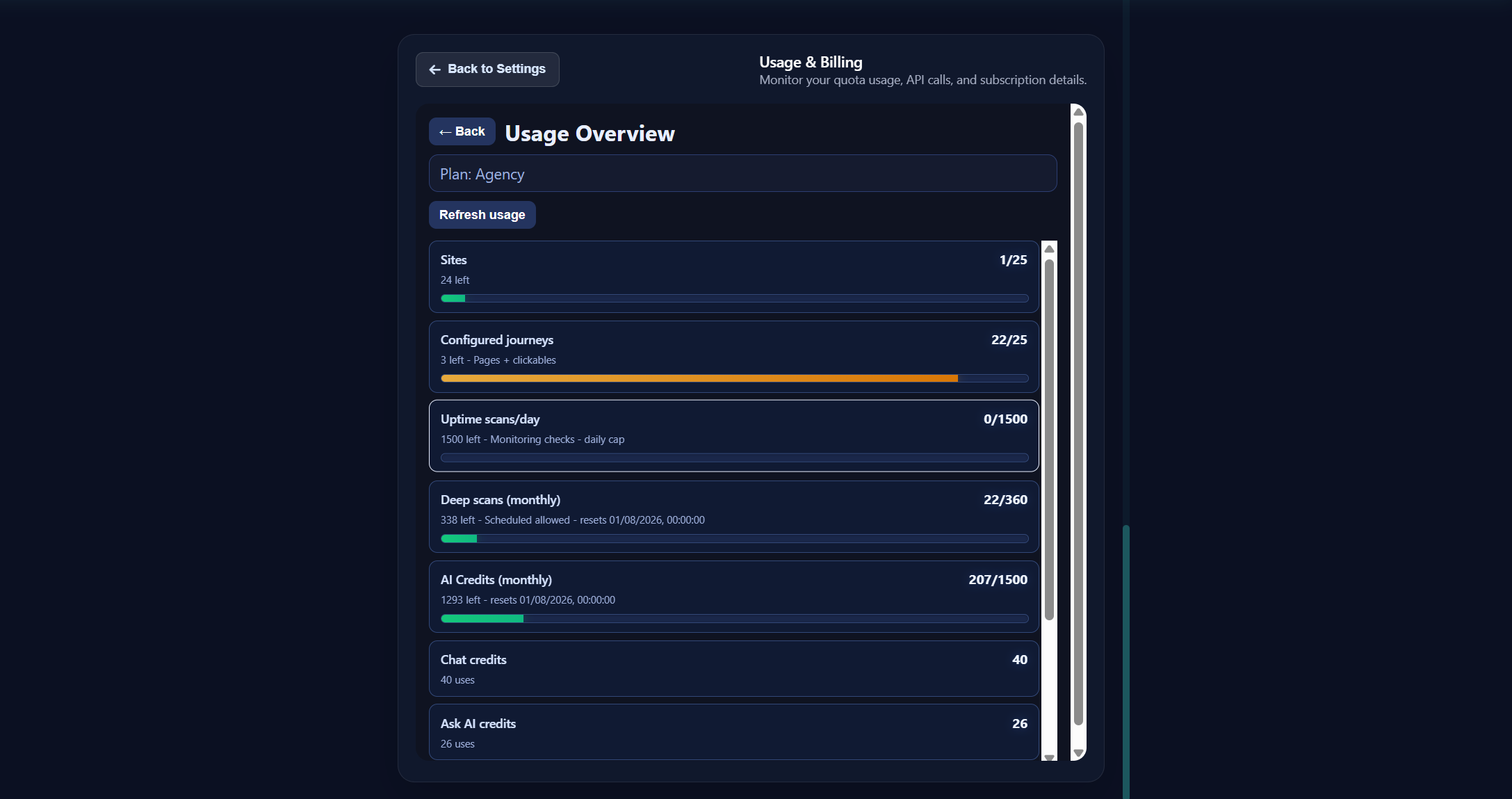
Open Settings > Usage for your Usage Overview: AI credits used and remaining this
month, plus your monitoring usage (runs and sites). Check here any time to see how much of your
plan you've used. You can also just ask the AI how many AI credits do I have left?.
Monthly AI credits by plan
| Plan | AI credits / month | Good for |
|---|---|---|
| Free | 20 | Trying it out, a single site |
| Starter | 50 | Solo / side projects |
| Pro | 250 | Freelancers, small portfolios |
| Agency / Business | 1,500 | Teams and client portfolios |
Numbers reflect the standard plan defaults and may be adjusted for your account.
When you run out
When you've used your monthly AI credits, the assistant tells you clearly - "You've used all your AI credits on this plan" - and shows an Upgrade button right in the chat. Your monitoring keeps running the whole time; only the AI actions pause until you upgrade or your monthly reset arrives.
This applies to every plan with a limit - free, starter, pro, and agency all show the same clean message and upgrade path when they hit their ceiling.
Upgrading
- Open Settings → Billing (or click Upgrade anywhere it appears) to see plans and check out.
- Higher plans unlock more sites, more user journeys checked more often (every 12h on Free down to every 5 min on Agency), more site health scans, and more monthly AI credits.
Monitoring limits
Separate from AI credits, plans also set:
- Max sites you can monitor
- User journeys you can save and how often they run
- Uptime checks per day and the fastest interval allowed
- Site health scan frequency options
The assistant respects these automatically - if you ask for a 1-minute check on a plan that allows 5, it clamps the value and tells you.
Buying extra AI credits (top-ups)
Need more AI room without changing plans? Buy a one-off credit top-up that stacks on your monthly balance:
| Pack | Price |
|---|---|
| 50 credits | $6 |
| 150 credits | $15 (best value) |
| 500 credits | $40 |
Top-ups are a great fit for a busy incident month - grab a pack, keep your plan, and your monthly credits still reset as usual.
Next: let external AI agents understand and drive SiteOps - For AI agents.