Overview
VUBEX SiteOps watches the journeys that make you money - checkout, login, signup - and tells you the moment they break, with an AI that explains why and helps you fix it.
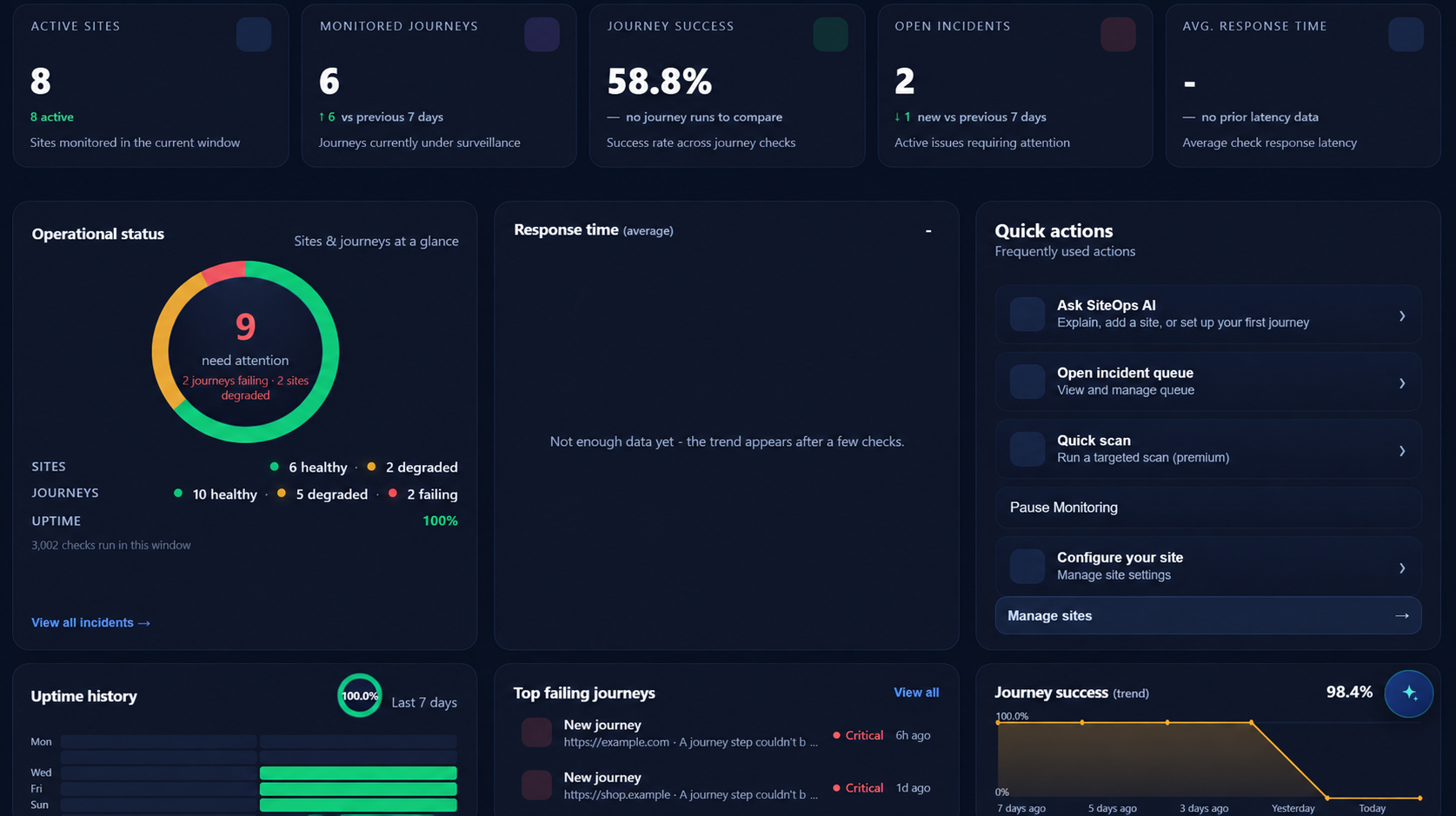
Most monitoring tools ping your homepage and call it "up." SiteOps runs the real user journeys in a real browser, captures screenshot evidence when something fails, and gives you an AI assistant that can read your monitoring, research the error on the web, and even set up or change monitoring for you - all from a chat box.
What that looks like when something actually breaks (1:17).
What you get
- User journeys (the core) - saved step-by-step flows (checkout, login, signup, booking, contact form) replayed in a real browser with assertions, on an automatic per-plan schedule. When one breaks you get the exact failing step with a screenshot - proof that customers can actually buy, not just that the homepage responded. See User journeys.
- Uptime checks - a fast heartbeat that catches an outage in seconds.
- Site health scans - crawl your mapped pages and check each one loads with real content, no broken links or errors.
- Incidents with evidence - when a check fails, you get an incident with screenshots, the failing step, and severity.
- A built-in AI assistant - ask it "how's my site?", "when does my SSL expire?", "start monitoring example.com", or "explain this incident" - and it actually does it. See Using the AI assistant.
- Alerts everywhere - email, Slack, and Discord, plus SSL/domain-expiry warnings and a public status page. See Alerts, SSL & status page.
- Runs free - the Free plan includes monitoring and 20 AI credits per month, no credit card. See Plans & AI credits.
Where you use it
| Surface | URL | Best for |
|---|---|---|
| Web app | app.siteops.vubex.dev | Everything - dashboard, chat, settings. Runs in your browser. |
| Desktop app | download | Same features, native window. |
| Status page | status.siteops.vubex.dev/your-slug |
A public page your users can check during an incident. |
How the pieces fit together
- You add a site and a journey - the flow you care about (checkout, login, booking).
- SiteOps runs checks on a schedule in a real browser and records results.
- When a check fails, it opens an incident with evidence and fires your alerts.
- The AI assistant helps you understand and act - explain the incident, research the fix, tune the monitoring, or run an on-demand check - right from chat.
New here? Start with Getting started, then read Using the AI assistant - it's the fastest way to get value.